Your Owlstown academic website is where your research lives in full — your publications, projects, courses, and posts. But sometimes you don't need to share all of that. Sometimes, you just need a single page that says who you are, points to everything else, and fits on a conference slide or in a bio field.
That page now comes built in. Every Owlstown website has a Profile page.

What is a Profile page?
A Profile is a one-page introduction to you, hosted at your own site's address — yourname.owlstown.net/profile, or your custom domain if you've connected one. It brings together:
- Your photo and name
- A short description of who you are and what you work on
- A link back to your main website
- Your social links — the same ones already on your site
- Anything else you want to add — links to a CV, a lab site, a booking page, a new paper, an office-hours form — arranged as blocks, just like the rest of your site
It's short by design. Someone can read the whole thing in ten seconds and know where to go next.
Why it's useful
One link for every bio field. X, Instagram, Bluesky, LinkedIn, a journal author page, an email signature — they all give you room for exactly one URL. Your Profile is a good one to use: it leads to everything without committing the reader to a full site tour.
A handout for talks and posters. Owlstown includes a QR code tool for your Profile. Drop the code on your last slide or in the corner of a poster, and people can pull up your work on their phones before they've left the room.
A front door that stays current. Because your Profile links to your real website, it never goes stale the way a printed one-pager does. Update your site, and the Profile keeps pointing to the right places.
It builds your name, not someone else's. The Profile lives on your domain. Every time someone visits or links to it, that traffic and search value go to your site — not to a third-party service.
Make it yours
Open your the Owlstown Editor and you'll find the Profile alongside your other content. Edit the title and description inline, set the photo, and add whatever blocks you need. Under the design settings, pick a main color and the page builds a matching background for you. Changes show up live as you make them.
If you used Academic Link
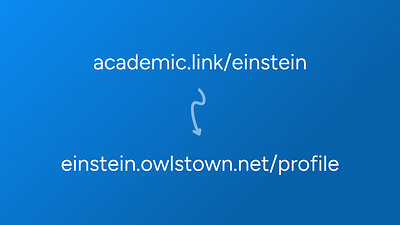
The Profile page replaces Academic Link. If you had an Academic Link page, its content — your title, subtitle, description, links, and photo — has already been copied over to your new Profile. You don't need to rebuild anything.
Your old academic.link address keeps working, too. Every Academic Link URL now redirects automatically to your Owlstown Profile, so the links you've already put on your CV, in past talks, and in email signatures all still land in the right place.